It’s important to identify devices that are owned by previous employees and take action on them, either removing or quarantining them so that they don’t continue to have access to company resources. I you have Okta’s LDAP configured in Airwatch you can do this via a User Group and some custom filters in the devices list.
How Okta flags Users
Okta has a number of states for users, these are saved in the organizationalStatus LDAP field. Thus far I’ve observed the following, there may be more.
- ACTIVE – User account is active
- DEPROVISIONED – User account is deprovisioned
- RECOVERY – User account is in password recovery mode
Creating the User Group in AirWatch
Creating a smart group in the WorkspaceONE dashboard under Accounts > User Groups > List View. From here click the Add button at the top of the page to add a new group. We’re looking to create a Custom Query group with the following custom query
You’ll note in the screenshot below we’ve added the custom logic of (organizationalStatus=DEPROVISIONED) and removed some of the default Query details. Once we test we should have a number of members found so we can save.

Finding Devices assigned to DEPROVISIONED user
AirWatch uses Assignment Groups to logically group computers, this is similar to Jamf’s Smart Computer Groups. You can create a new one under Groups & Settings > Groups > Assignment Groups. Clicking Add Smart Group at the top will get you started.
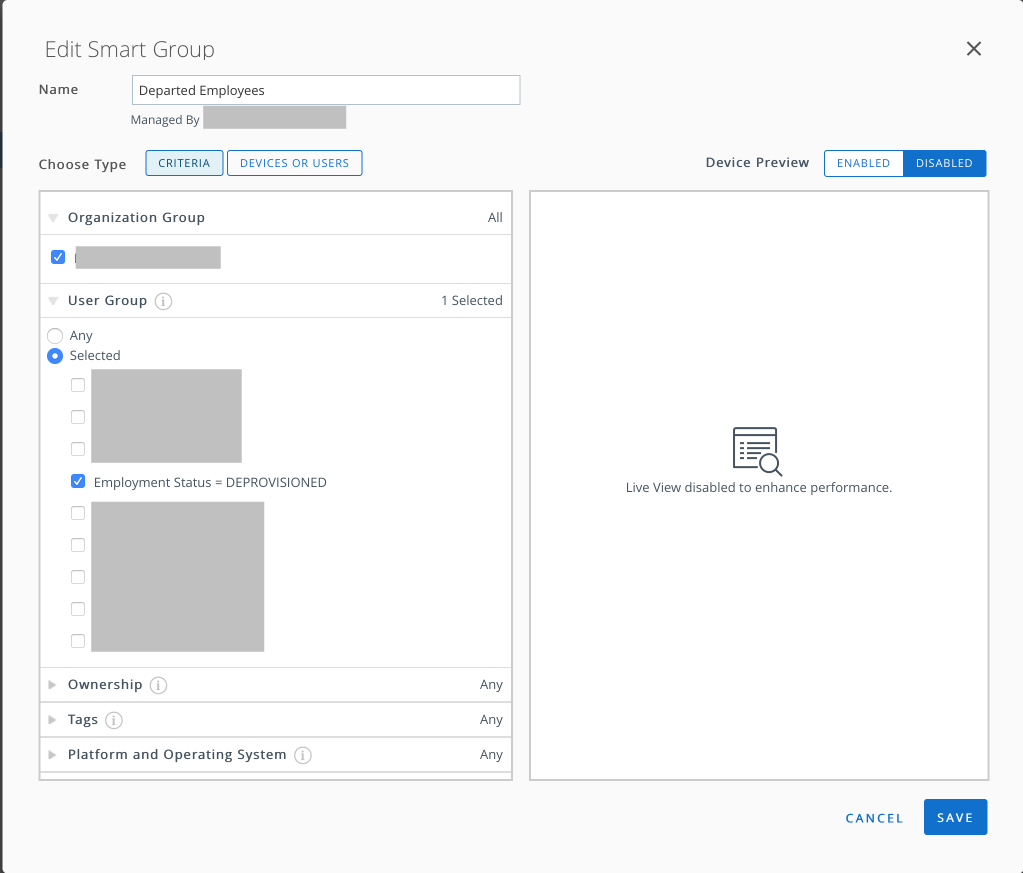
Your newly created User Group will be on the list available under User Group, select this and optimally add any other filters for device platform. Click save and you’ll have a newly minted group showing you devices that assigned to users who are inactive in Okta.
Taking action on devices
At the far right of the Smart Groups table you’ll find the Devices column. There will be a number of how many devices are a member of each specific group here. Clicking on this will bring up all the devices that match this criteria. From this page you can take actions like delete, enterprise wipe, or change the device’s ownership.
 IT Notes