Apple uses code signatures to verify app are created by a specific developer and haven’t been tampered with. This is done through Apple’s Gatekeeper process which blocks execution of known bad code or code with no signature at all. In versions of macOS prior to 15.1 you bypass this block by going to System Settings > Privacy and Security after an app is blocked allow it to open.
Apple introduced a change in macOS 15.1 that blocks running all unsigned code. This can be an issue for those wishing to run Open Source applications where the $99/year developer fee may not be feasible. It’s not clear if this change is on purpose or a bug, but you can work around this with a a simple terminal command… and you don’t even need to be admin to do it!
Note: Gatekeeper and code signing is a very important security mechanism in macOS, bypassing it may result in harmful code execution on your computer. Before you exempt an application from Gatekeeper you should be confident of it’s source as well as decide if it’s worth risking the integrity of your system.
Gatekeeper uses the extended attribute com.apple.quarantine to decide if a file should be checked. Manually removing this flag will tell Gatekeeper to skip checking the application on launch and let it execute. This will allow for running unsigned applications again without disabling System Integrity Protection.
First we need to find an app that’s not signed, in this case we’re using Alacritty as our example now.
After you’ve downloaded Alacritty and dragged it into your Applications folder, double click on it to run. You’ll get the following error:
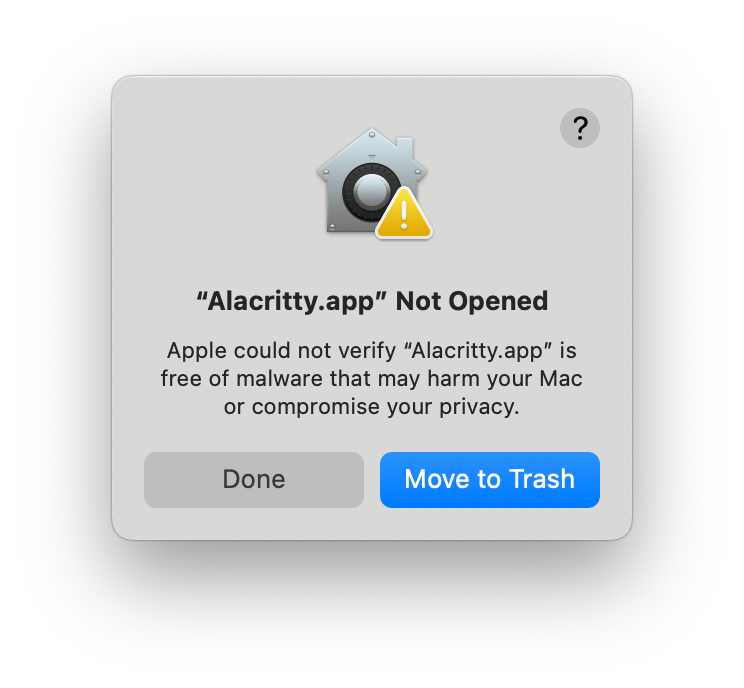
Even going to System Settings > Privacy and Security and clicking open anyway will result in the same error.
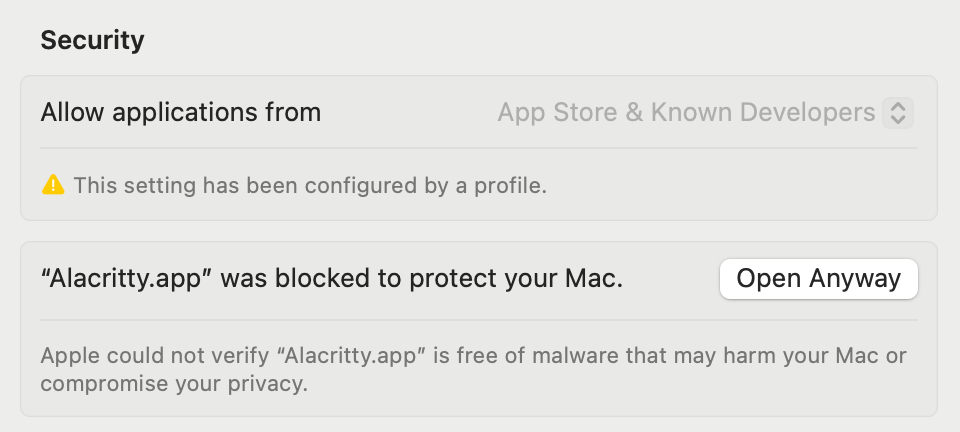
Next open Applications > Utilities > Terminal, once you get a command prompt enter the following and press return.
xattr -r -d com.apple.quarantine /Applications/Alacritty.app
Try opening Alacritty from your Applications folder again, it should load without an issue!

Modify the command to use the path of the app you want to remove the quarantine extended attribute from. Note that you have to have write access to the file to remove the quarantine flag.
 IT Notes